Online Leaderboard Maker
Create and share live leaderboards, scoreboards, and goal trackers in seconds. Real-time updates, shareable links, and participant self-registration, with no downloads or coding required.
Powering leaderboards for thousands of people
Used by professionals at Fortune 500 companies, educators, nonprofits, and small businesses.
Pick a format
Leaderboard, scoreboard, goal tracker, scoresheet, or bracket.
Start a boardAdd participants
Type names, paste a list, or share a signup link and let people join themselves.
How signup links workShare the link
One URL updates live everywhere: phones, projectors, the office TV, or your website.
Sharing & display optionsWhat are you keeping track of?
Pick the format that matches what you are scoring — every one is live, shareable, and free to try.
Leaderboard Maker
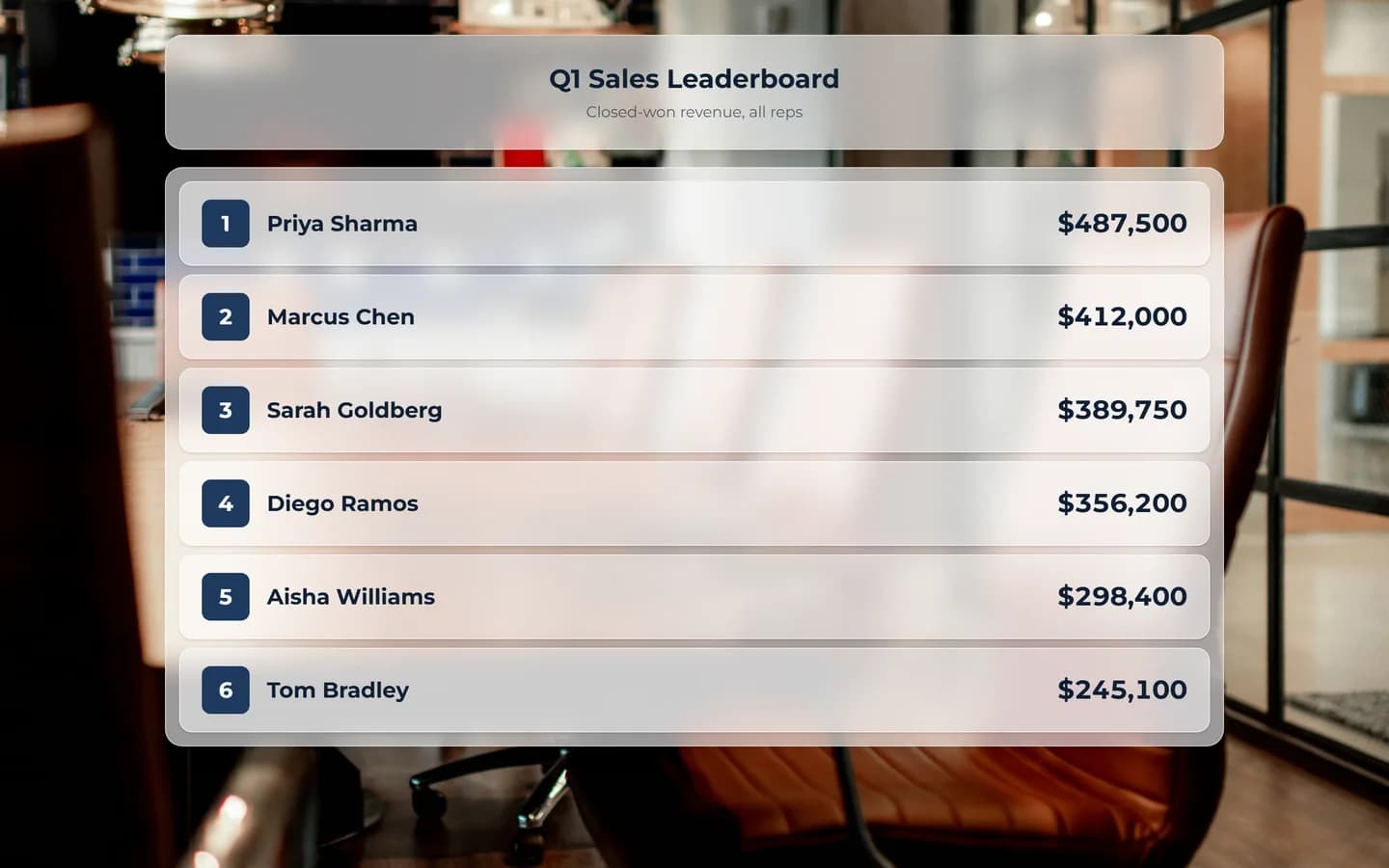
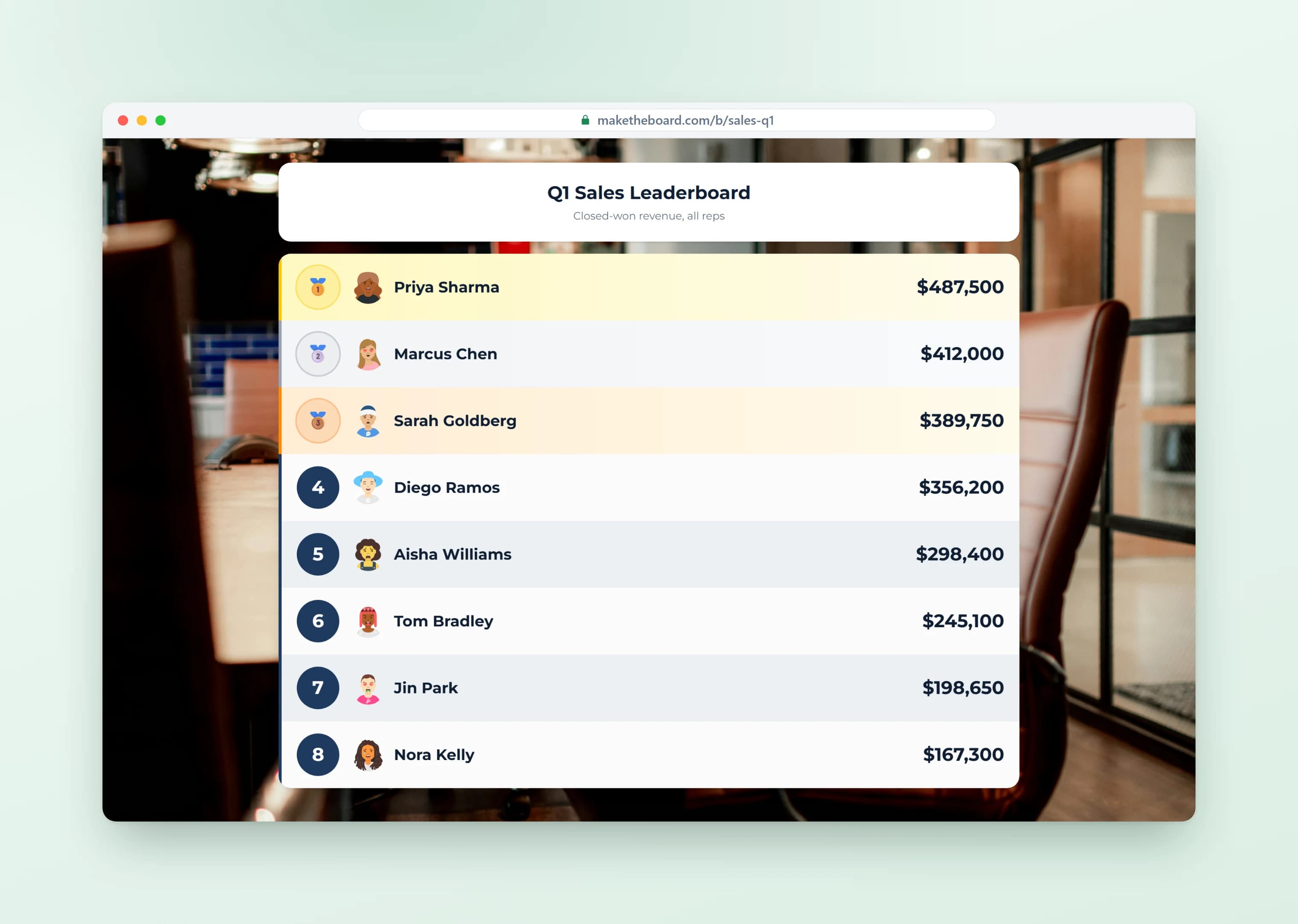
Rank people or teams by any number you track. The board re-sorts itself the moment a score changes, and everyone holding the link sees the new order at the same time.
Add participants yourself, or share a signup link and let them claim their own row.
Best for: Sales teams · Classrooms · Competitions · Employee challenges
Create a Leaderboard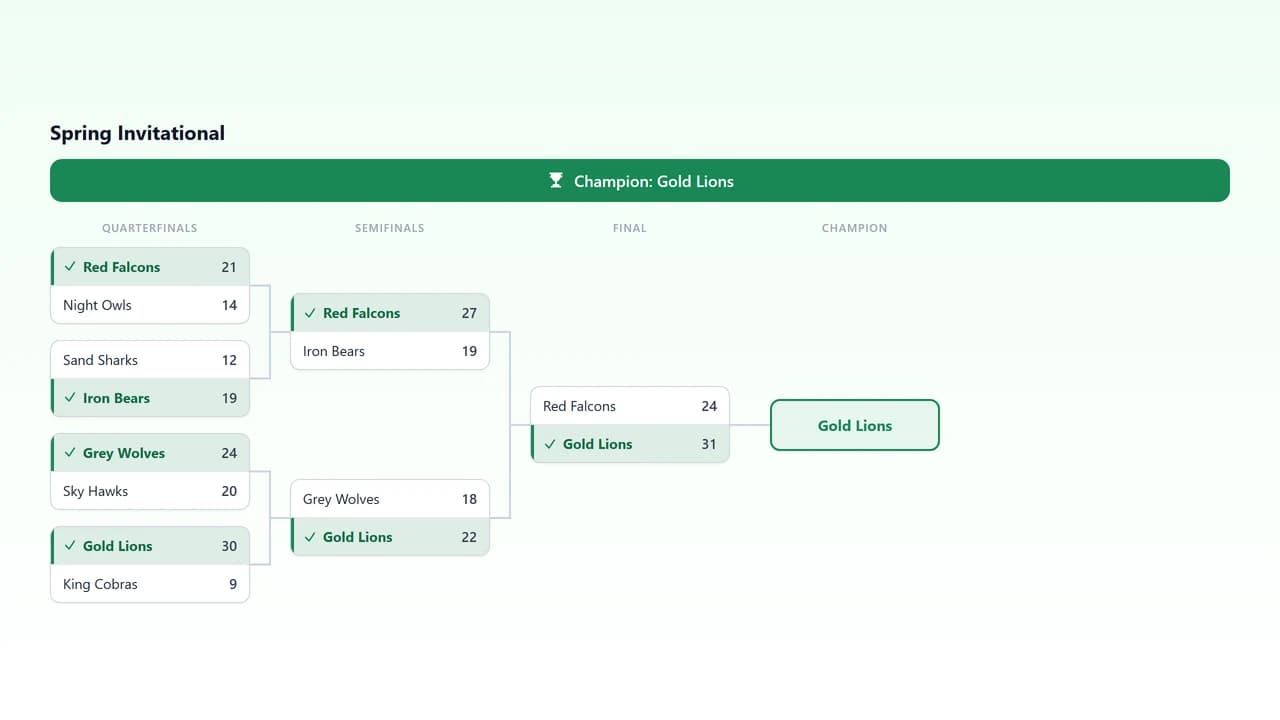
Bracket Maker
Seed your entrants, score each match, and winners advance through the bracket on their own. No redrawing the sheet between rounds.
The whole draw lives at one link, so competitors can follow their side of it without you posting updates after every game.
Best for: Sports tournaments · Esports · Office pools · Game nights
Create a Bracket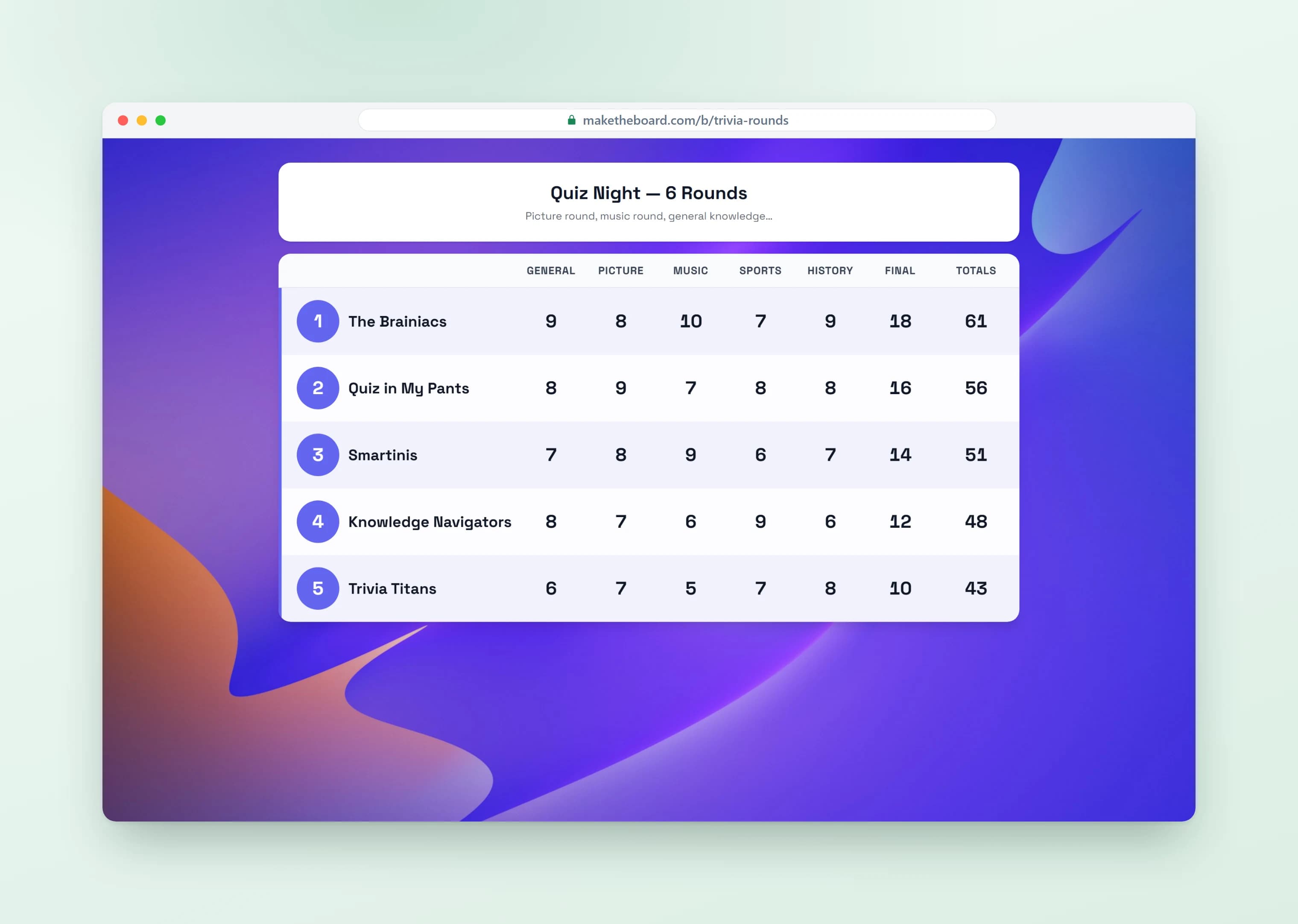
Scoresheet Maker
Score round by round instead of one running number, with a column per round and totals that add themselves up as you go.
The grid stays readable as rounds pile up, and the standings re-sort the moment a cell changes.
Best for: Card and board games · Bowling and darts · Golf · Judged contests
Create a Scoresheet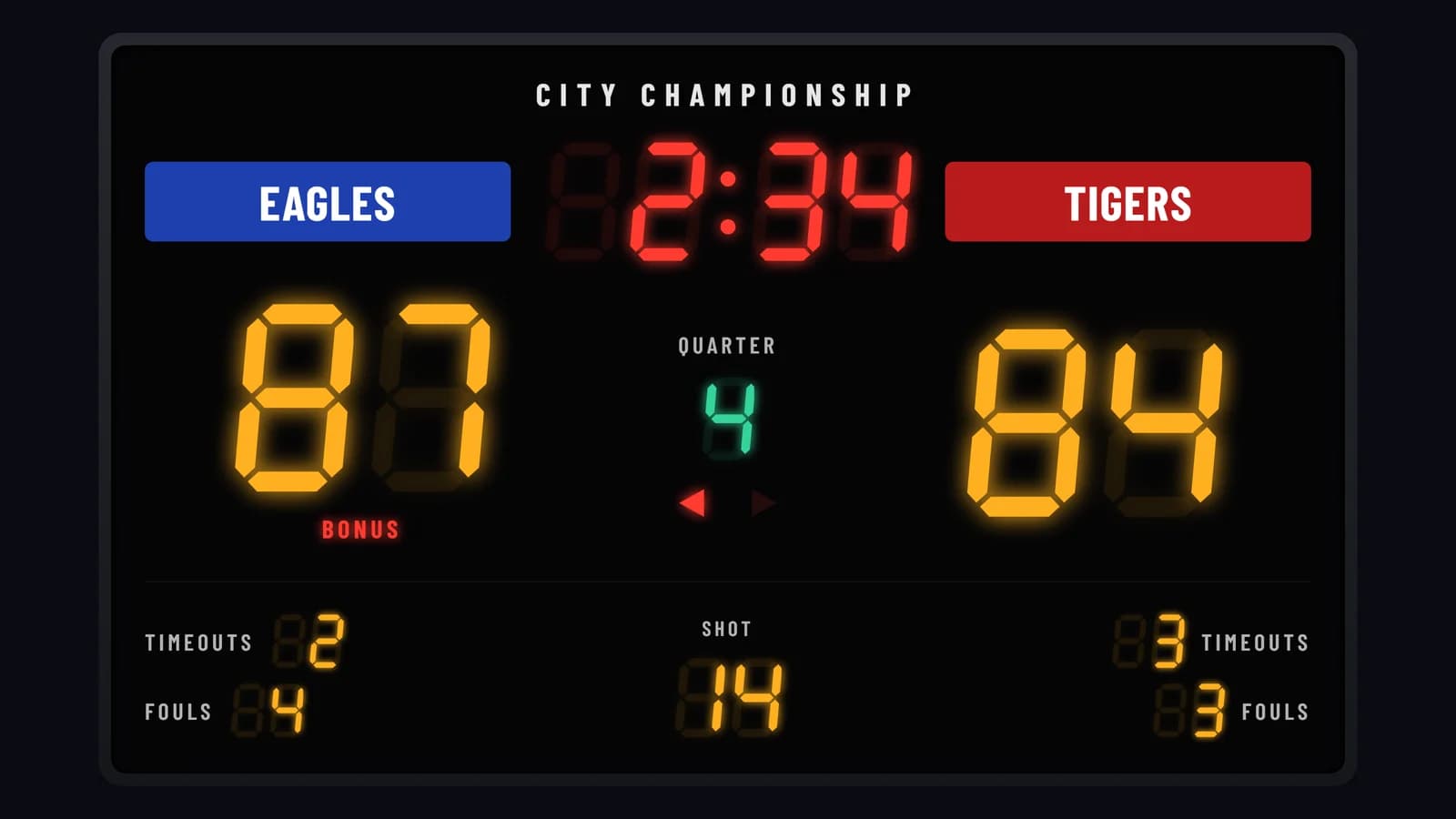
Scoreboard Maker
Keep the score visible while the game is actually being played, with a clock, periods, and digits that read from the back of the room.
Two teams head to head, set up for your sport, and the same link doubles as an OBS browser source if you stream.
Best for: Games and matches · Tournaments · Trivia nights · School sports
Create a Scoreboard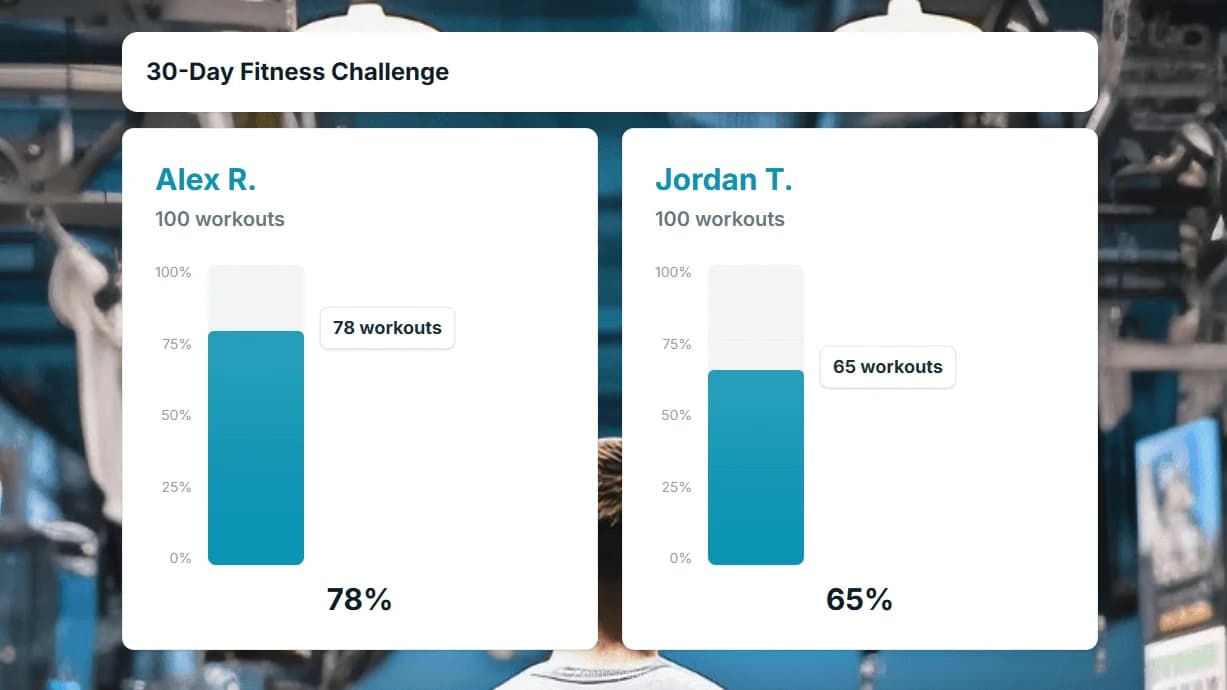
Goal Tracker
Set a target, update the running total, and let a progress bar do the motivating. Track one shared goal for the group or give each person their own.
Progress updates live, so a single link keeps everyone honest about where things actually stand.
Best for: Fitness challenges · Reading logs · Quotas and OKRs · Team targets
Create a Goal Tracker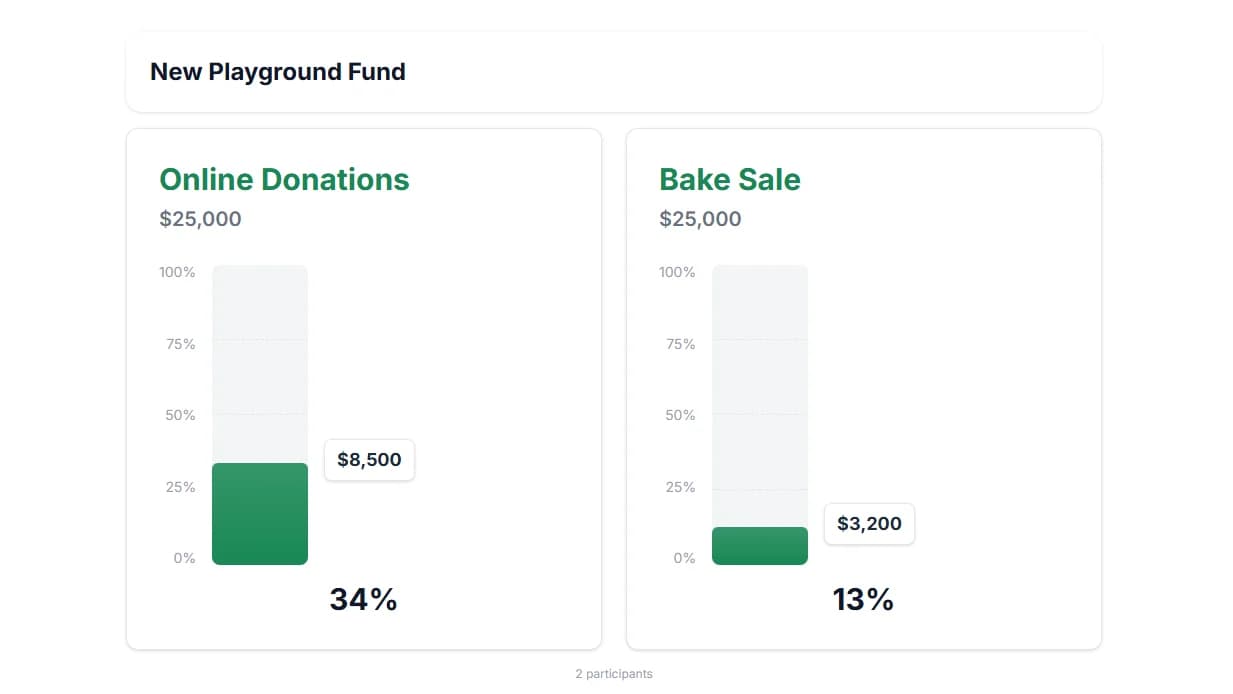
Fundraising Tracker
Show donations climbing toward your target with a thermometer that fills as money comes in.
Embed it on a campaign page, school site, or donation form and it keeps updating on its own. Pair it with a donor leaderboard when recognition drives giving.
Best for: Charity drives · School campaigns · Nonprofit events · Donor walls
Create a Fundraising TrackerBuilt for real groups
Thousands of teachers, coaches, sales managers, and nonprofits use MakeTheBoard every day.
Classrooms & Education
Classroom leaderboards for student points, reading challenges, and class competitions. Display on the projector, update from your phone.
Classroom BoardsSales Teams
Sales leaderboards and contest trackers that rank reps by revenue, deals, or calls. Display live on the office TV.
Sales BoardsFundraisers
Fundraising leaderboards, donor walls, and donation thermometers that drive giving at charity events and campaigns.
Fundraising BoardsCompetitions & Tournaments
Tournament leaderboards, quiz night scoreboards, and contest trackers for hackathons, trivia, esports, and more.
Competition BoardsLeaderboard generator vs. spreadsheet
Most leaderboards start life in a spreadsheet. That works until other people need to watch it change.
| Spreadsheet | MakeTheBoard | |
|---|---|---|
| Ranking | Re-sort by hand or maintain a formula | Re-sorts itself on every score change |
| Viewers | Share the whole file, or screenshot it | A view-only public link |
| Live updates | Viewers refresh to see changes | Every screen updates instantly |
| On a TV | Gridlines, tabs, and tiny cells | Full-screen layout readable across a room |
| Rank changes | Rows jump silently | Rows slide so people see who passed whom |
| On a website | Not practical | An embed that stays live |
| Updating from a phone | Pinch-zooming into cells | Tap a row, enter the score |
Scores already live in a sheet? Connect it with the Google Sheets leaderboard and keep editing where you are.
Frequently Asked Questions
Yes. Open the Create page, name your board, and you have a working leaderboard with a shareable link — no signup, no credit card, no email. The board is real: you can add participants, update scores, and send the link to anyone. When you want it tied to an account so it shows up in a dashboard and cannot be lost, claim it with an email at any point. Nothing you built gets thrown away when you claim.
A leaderboard generator is an online tool that turns a list of names and scores into a ranked, live leaderboard. You enter participants and numbers (points, revenue, books read, anything), and it handles the sorting, the display, and the sharing. When a score changes, the ranking re-sorts and everyone with the link sees it immediately, so there is no spreadsheet to re-sort or screenshot to re-send.
Create a board, add your participants (or share a sign-up link so they add themselves), and start entering scores. The board ranks everyone automatically and updates live for anyone with the link. Put it on a TV, embed it on a website, or just send the link. Nothing to download, and most people have a working leaderboard in under a minute.
Pick by what you are tracking, not by what you are running. A leaderboard ranks people or teams by one number. A scoreboard shows a game in progress with a clock and periods. A goal tracker or fundraising thermometer shows progress toward a target. A scoresheet scores round by round with a column per round. A bracket runs an elimination tournament. You can change most settings later, so an early wrong guess is cheap.
Turn on self-registration in board settings and MakeTheBoard gives you a signup link plus a short join code people can enter at maketheboard.com/join. Each person registers once and gets their own row. If you also turn on self-scoring, they can update that row from their phone and everyone watching sees it immediately. One account can register several participants, which is how parents sign up more than one child. You stay in control: any row can be edited, locked, or reset by the owner.
No. The $9 7-day Pro pass is one payment for a week of Pro — enough for a tournament weekend or a fundraiser push — and it expires on its own, so nothing renews on you afterwards. If it's one board you want to look professional rather than a whole plan, the $15 board unlock is permanent. Pro and Premium subscriptions are for people who run boards year-round, and you can cancel anytime. Compare all three on the pricing page.
Open the board’s public link in any browser on the screen and full-screen it. The layout scales up, the type stays legible from across a room, and tabular-num digits keep scores from jittering as totals climb. There is a font-scale control if you want the rows bigger still. For livestreams, the same URL works as an OBS Browser Source, so the overlay updates itself without you switching scenes. See the TV display guide for the full setup.
No. Every board has a public link that anyone can open on any device without signing in, installing anything, or being invited. You can also embed the board in a website, blog post, WordPress page, GoFundMe campaign, or LMS with a snippet of HTML, and the embedded copy updates in real time exactly like the link does. If you would rather a board not be public, you can turn public access off.
Two boards with up to 15 participants each, real-time updates, the public link, embedding, and TV display — with no credit card and no time limit. The free plan is the whole product at a smaller scale, not a crippled demo. The limits you eventually hit are participant count and board count, which is when a 7-day pass, board unlock, or subscription starts to make sense.
Ready to create your first leaderboard?
Free forever for up to 2 boards. No credit card required.