Fundraising Thermometer Generator
Create a fundraising thermometer to show progress toward your donation goal. Update totals live, share a link with supporters, and display it at your event. Perfect for schools, nonprofits, churches, and campaigns.
No credit card required. Free forever on the starter plan.
Spring Charity Drive
$10,000
58%
What Is a Fundraising Thermometer?
A fundraising thermometer is a visual progress tracker that shows how close a campaign is to reaching its donation goal. As contributions come in, the thermometer fills up, giving donors, supporters, and event attendees a clear, motivating view of the campaign's momentum.
Thermometers work because they create urgency and social proof. When donors see the bar rising, they're more likely to contribute and push it over the finish line. That's why nonprofits, churches, schools, and event organizers have used them for decades, and an online, real-time version is even more effective than a poster on the wall.
Create Your Fundraising Thermometer
Set a goal, log donations, and share. It takes under a minute.
Step 1
Set Your Goal
Name your campaign and enter a fundraising target ($5,000, $50,000, or any amount). Choose a color theme that matches your cause.
Step 2
Log Donations
Add donations as they come in, with or without donor names. The thermometer updates in real time across all viewers.
Step 3
Share and Display
Share a link with supporters, embed it on your website, or display it on a screen at your event. Everyone sees progress live.
Where to Use Your Fundraising Thermometer
Anywhere your supporters can see it.
Website & Social Media
Embed the thermometer on your campaign page or share the link in emails and social posts so supporters can check progress anytime.
Live Events & Galas
Display the thermometer on a big screen at your gala, auction, or telethon. Log donations from your phone and watch the crowd react.
Email Updates & Newsletters
Drop the link into your donor updates so recipients can see exactly how close you are to the goal. That urgency drives last-minute giving.
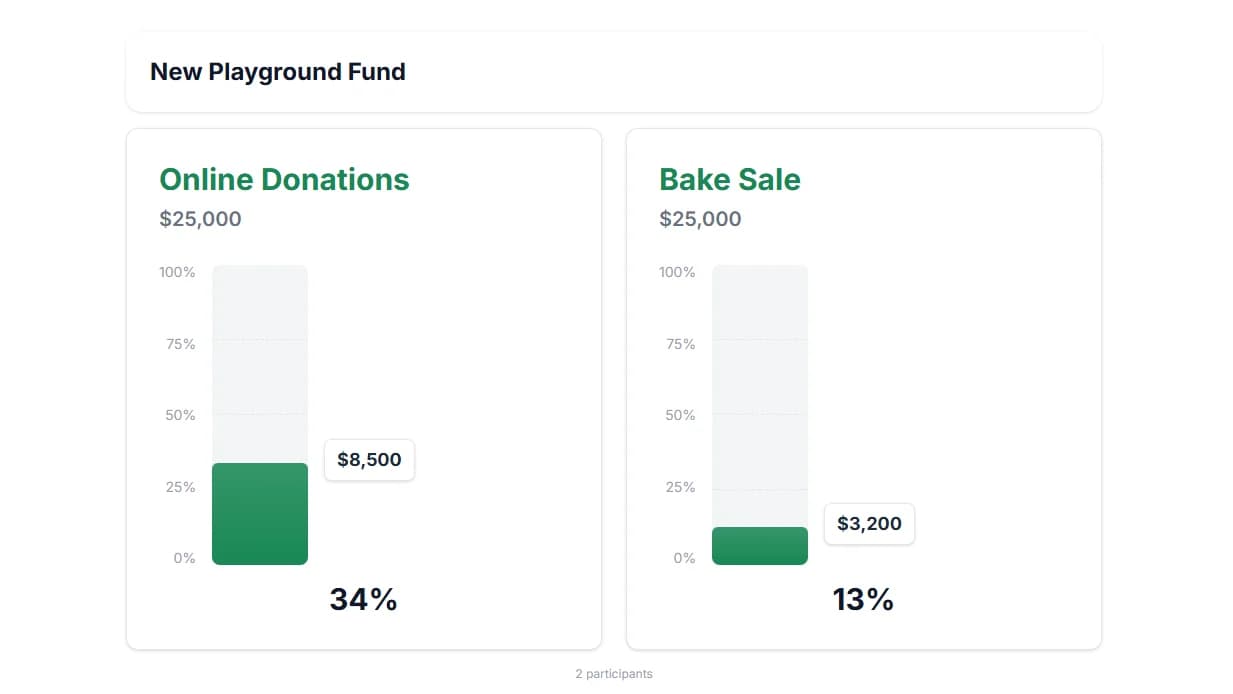
Watch Your Goal Come to Life
The classic thermometer fills up as donations come in. Supporters see real-time progress and feel the momentum building toward your goal.
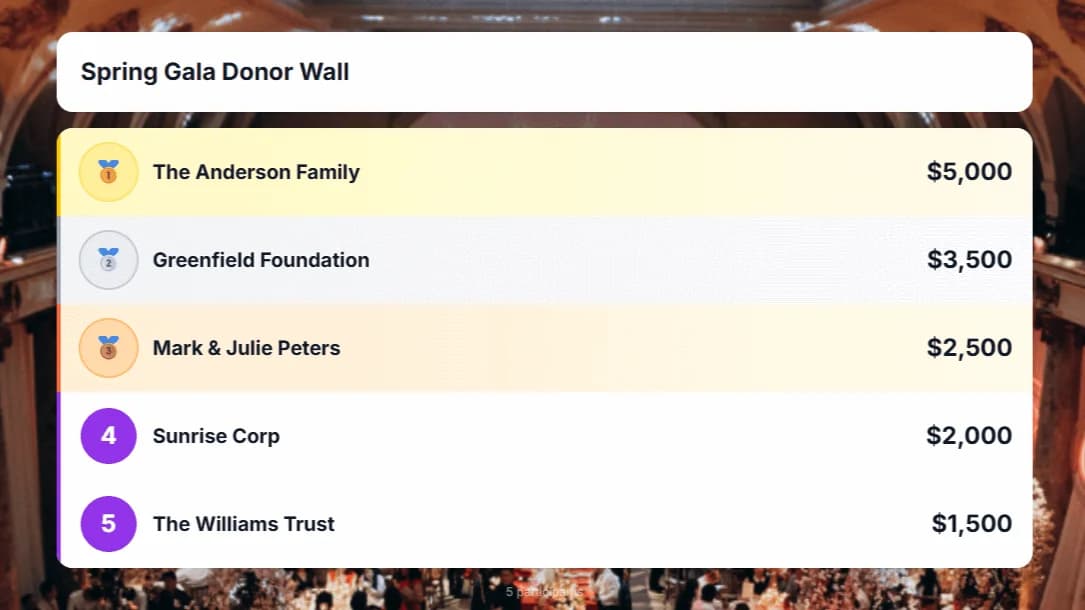
Recognize Your Supporters
Show recent donors and top contributors alongside the thermometer. Public recognition encourages others to give and makes donors feel valued.
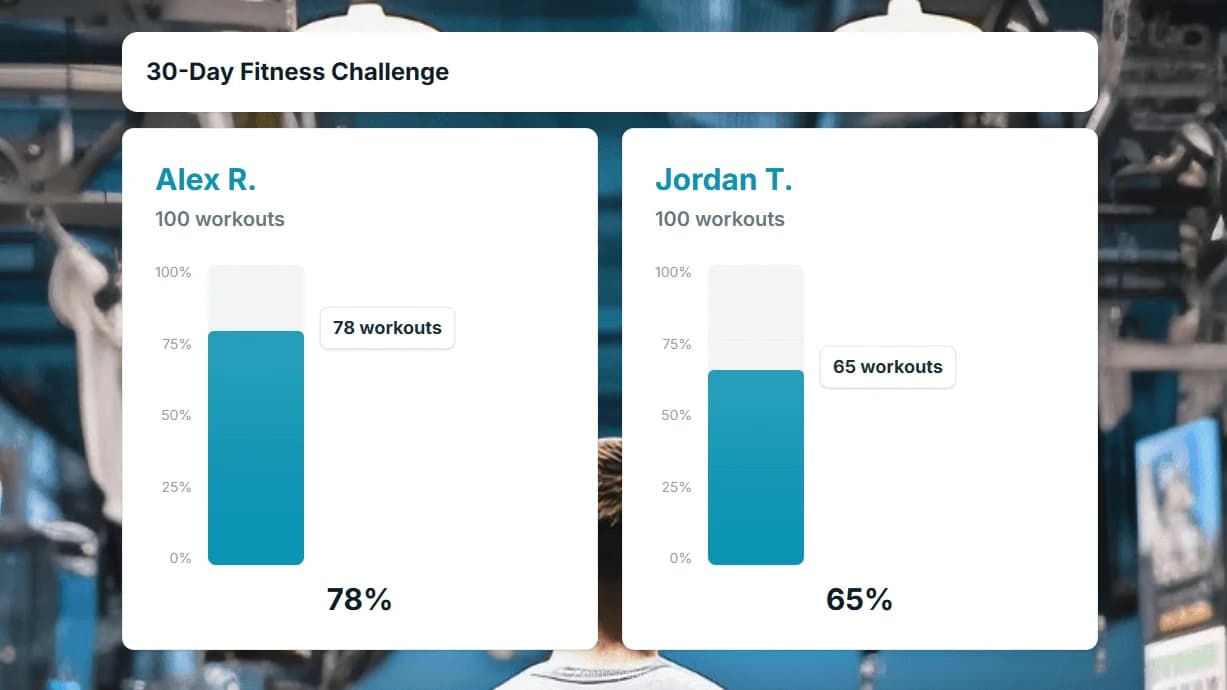
Display at Your Fundraising Event
Put the thermometer on a big screen at your gala, auction, or telethon. Log donations from your phone and watch the crowd cheer as the bar rises.
Tips to Increase Donations
A thermometer alone won't raise money. How you use it matters.
Update Often
Log donations as they arrive. Every update creates a notification moment, and supporters who see the bar move are more likely to share the link.
Set a Clear, Specific Goal
"$10,000 for new playground equipment" is more compelling than "help us raise money." Concrete goals drive concrete action.
Place Your Donation Link Nearby
Put a "Donate Now" button or payment link right next to the thermometer so inspired supporters can give immediately.
Fundraising Leaderboard vs. Thermometer
Both tools help you raise more, but they serve different purposes:
Fundraising Thermometer
Shows overall progress toward a single donation goal. Best when you want to rally supporters around a shared target and create urgency as the bar fills up.
Fundraising Leaderboard
Ranks donors or teams by amount raised. Best when you want to spark friendly competition between fundraising teams, classrooms, or individual supporters.
Explore the Fundraising LeaderboardMany organizations use both: a thermometer to track the overall campaign and a leaderboard to rank top contributors or teams.
Real-Time Tracking and Shareable Links
Everything you need to show fundraising progress, built in from the start.
Real-Time Updates
Scores update instantly across all viewers the moment you make a change. No page refreshes needed. Everyone sees the latest rankings simultaneously.
Built for Every Team
Used by teachers, coaches, sales teams, nonprofits, and event organizers to track progress and motivate their teams.
Embed on Any Website
Drop a single iframe code into your website, blog, WordPress, Notion, or LMS. Your board updates in real time right on your page.
Budget Friendly
Free forever for up to 2 boards. No credit card required to start. Affordable Premium and Team plans when you need more.
Fully Customizable
Custom colors, logos, backgrounds, and themes. Match your board to your brand or event for a polished, professional look.
Participant Signup
Share a signup link so participants can add themselves to your board. No back-and-forth. They join and you stay in control.
What Our Users Say
“We displayed the thermometer at our annual gala and raised 40% more than last year. Watching the bar climb in real-time created incredible energy in the room.”
Pastor Michael Grant
Church Pastor
“Our PTA embedded the thermometer on the school website. Parents loved checking in and it drove a huge surge of last-minute donations to hit our goal.”
Karen Liu
PTA President
“We use MakeTheBoard for all our charity 5K events now. The live donor wall and thermometer make sponsors feel recognized and valued.”
Tom Henderson
Executive Director
Frequently Asked Questions
Yes! The free plan lets you create up to 2 thermometers with 25 entries each, no credit card required. Upgrade to Premium ($9.99/mo) or Team ($24.99/mo) for higher limits, custom branding, and CSV exports.
Yes. Every thermometer gets a unique embed code. Paste it into your website, campaign page, or any page that supports HTML embeds. The display updates in real time.
MakeTheBoard is a display and tracking tool. You process payments through your existing platform (PayPal, GoFundMe, Stripe, etc.) and log donations in MakeTheBoard to update the thermometer.
Yes. With shared admin access you can invite your fundraising team. Each person logs donations from their own device and the thermometer updates instantly.
Currently, donations are added by board administrators. You can assign multiple admins so your team can log contributions as they come in.
Absolutely. While the thermometer is popular for donation tracking, you can use it for membership drives, volunteer sign-ups, event registrations, or any target with a number.
Ready to Launch Your Fundraiser?
Create a fundraising thermometer in seconds. Free to start, no credit card required.